

Case study
School Bus Tracking
Real-time school bus tracking with parent-driver-admin modules.
Overview
School Bus Tracking is a real-time GPS-based tracking and notification system designed for schools, parents, and bus drivers. The app provides complete visibility into school transportation operations with three distinct role-based modules: Driver, Parent, and Admin.
Project Details
Role: Mobile Solutions Architect | Fullstack Developer
Timeline: May 2025 - Present
Platform: iOS, Android
School Fleet Telematics & Safety
Key Technical Challenges
Core engineering challenges tackled during application development:
- Real-time GPS tracking with minimal battery drain on mobile devices throughout the day
- Offline-first architecture ensuring attendance data is never lost even without connectivity
- Geofencing accuracy for automated stop detection in varying GPS conditions
- Managing three distinct user roles with different permission levels and UI flows
- Push notification reliability ensuring parents receive timely alerts
Features & Technical Capabilities
Engineered capabilities and platform functionality:
System Capabilities
- Built complete school bus tracking system with three role-based modules using Flutter
- Implemented Bloc for state management across Driver, Parent, and Admin roles
- Integrated GoRouter for seamless navigation between different app sections
- Used Dio for network handling with automatic retry and offline queue
- Built real-time GPS tracking with optimized location updates to save battery
- Implemented geofencing for automated stop detection and attendance marking
- Created push notification system for arrival/departure alerts to parents
- Built attendance management system with boarding/alighting tracking
- Integrated route navigation for drivers with turn-by-turn directions
- Implemented emergency alert system for delays and route changes
Mobile Application Gallery
Native mobile user flows and interactive application interfaces (46 verified screens)
Mobile Device
App launch splash screen showing a white circle with a blue bus and map pin on a solid blue background.
Blue splash screen with bus and location pin icon
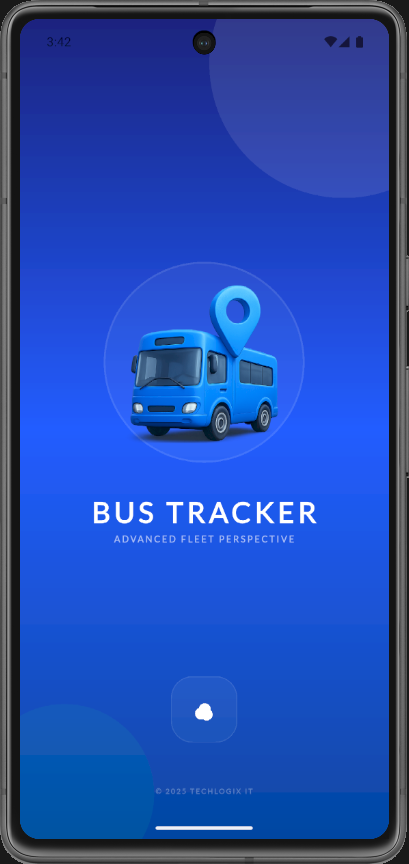
Branded splash screen displaying a 3D bus with location pin, the title BUS TRACKER, and the tagline ADVANCED FLEET PERSPECTIVE.
Bus Tracker splash screen with tagline
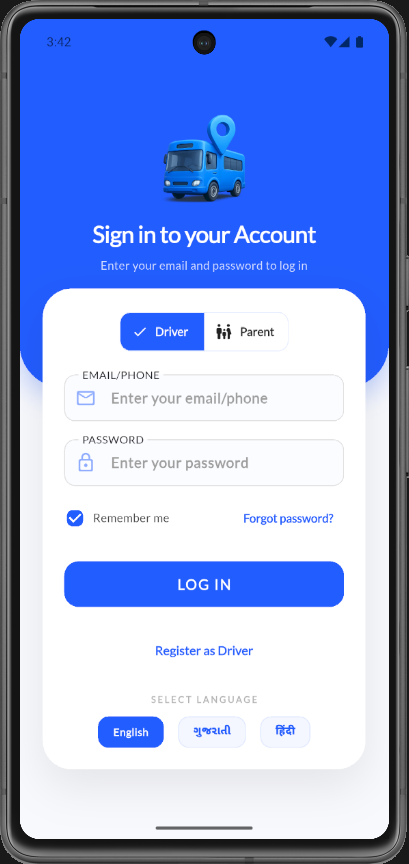
Login screen with Driver/Parent role toggle, empty email and password fields, Remember me checkbox, and English/Gujarati/Hindi language options.
Sign in screen with Driver role selected and empty form
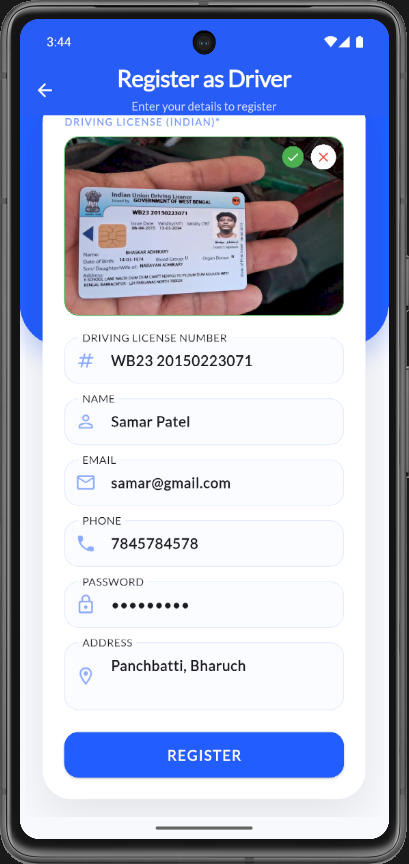
Driver registration screen with Indian driving license photo upload, auto-filled license number, name, email, phone, password, and address fields.
Register as Driver form with license upload
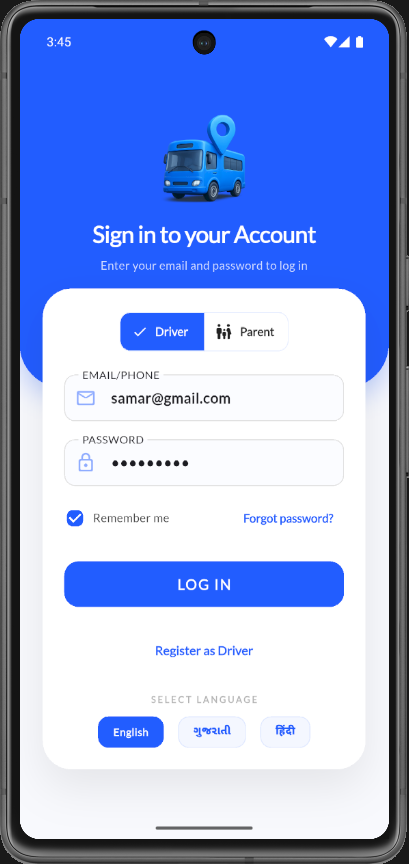
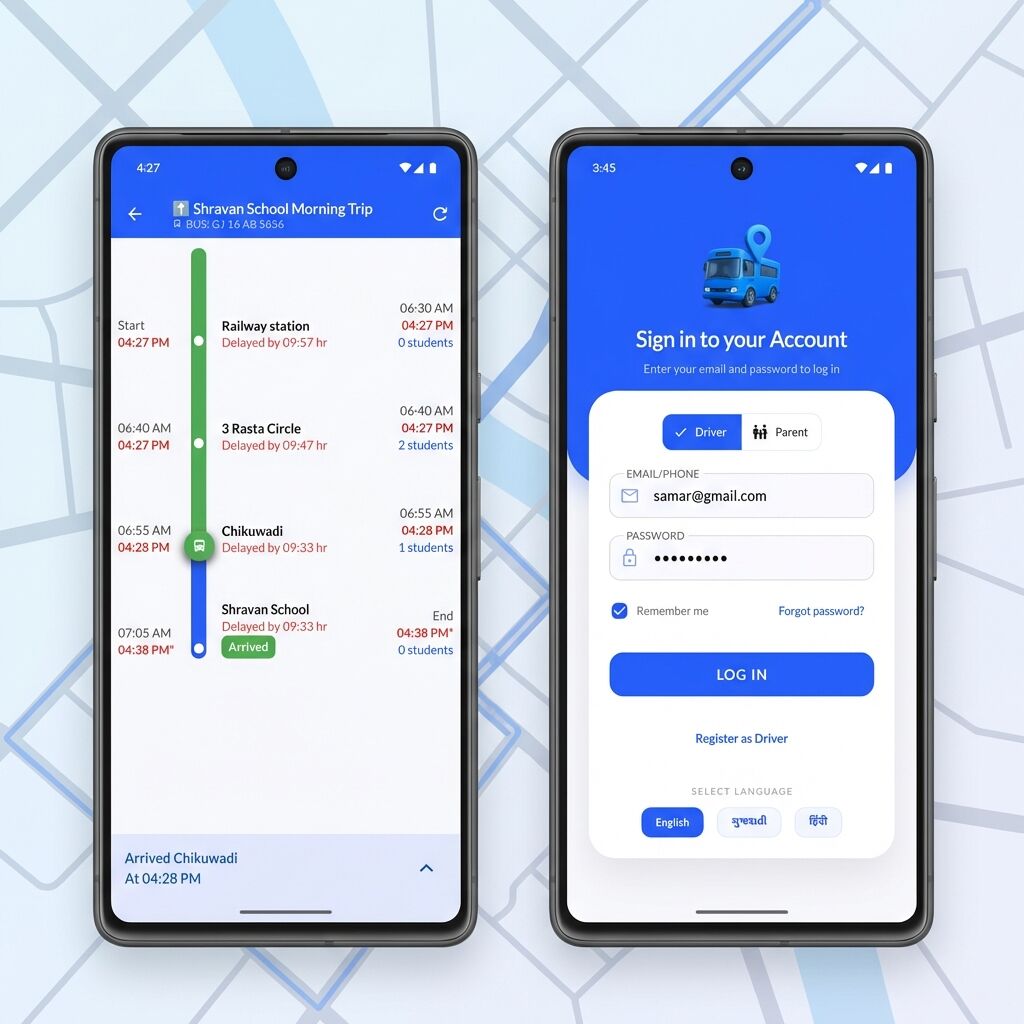
Login screen with Driver role selected, email samar@gmail.com entered, password filled, Remember me checked, and Register as Driver link visible.
Sign in screen with filled Driver credentials
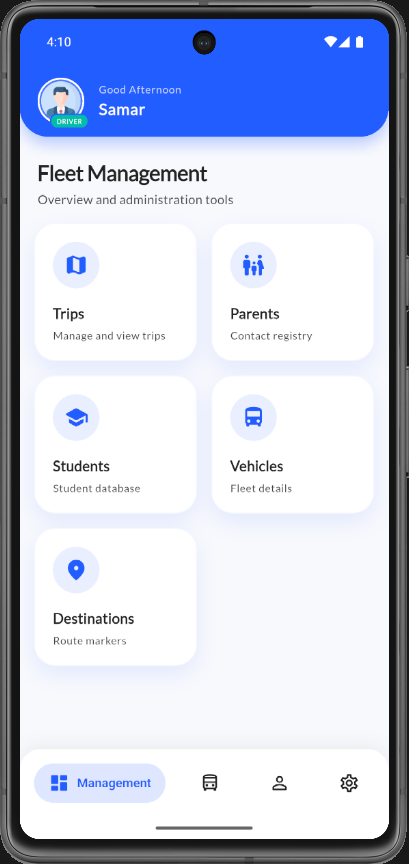
Driver admin dashboard greeting Samar with grid cards for Trips, Parents, Students, Vehicles, and Destinations management.
Fleet Management admin dashboard
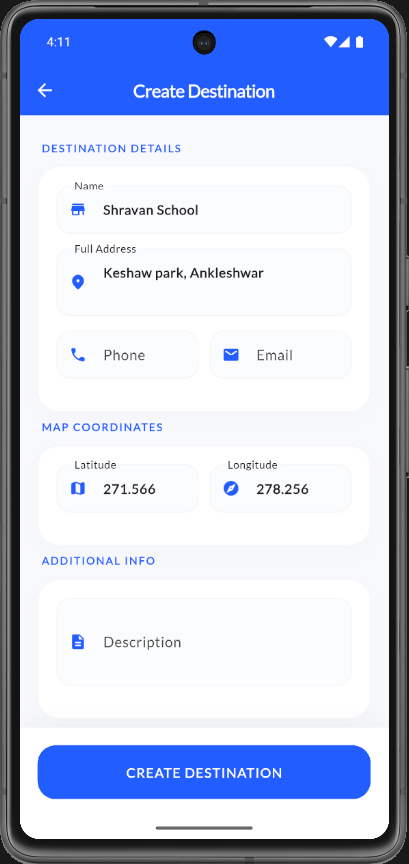
Form to add a new destination with name Shravan School, address, phone, email, latitude/longitude coordinates, and description fields.
Create Destination form
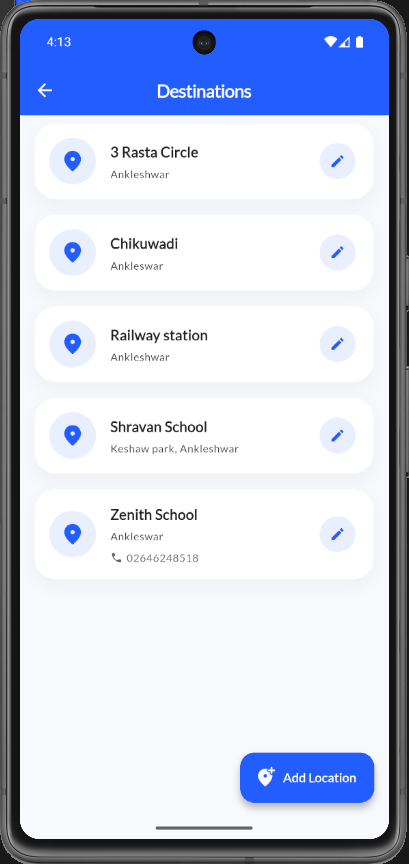
List of saved destinations including 3 Rasta Circle, Chikuwadi, Railway station, Shravan School, and Zenith School with edit buttons and Add Location FAB.
Destinations list screen
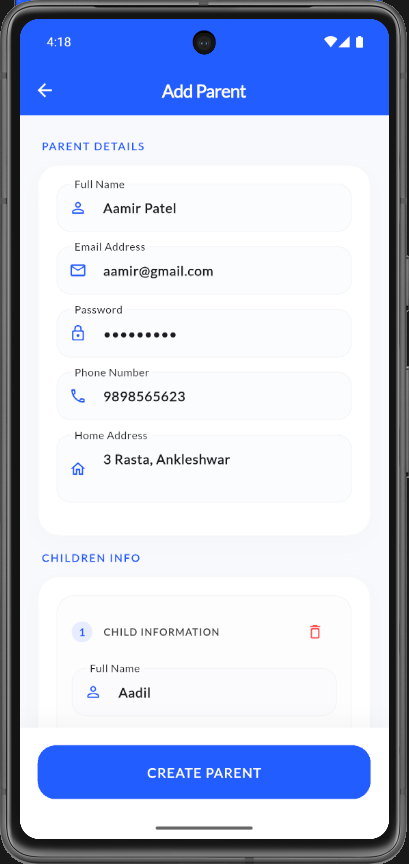
Add Parent screen showing parent details section with name Aamir Patel, email, password, phone, and home address filled in.
Add Parent form with parent details
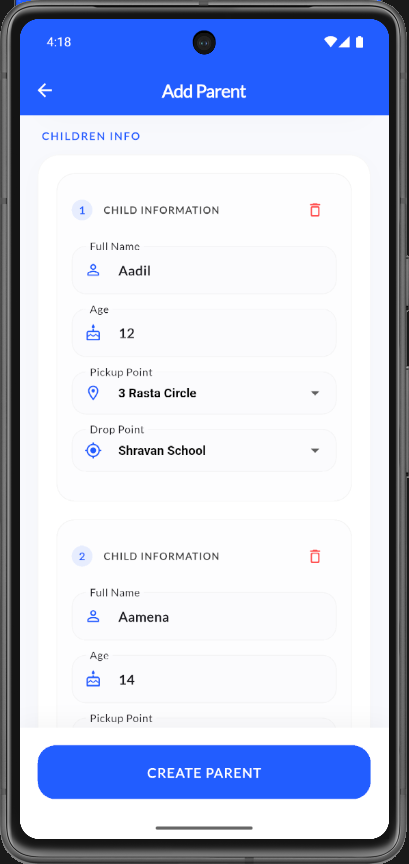
Add Parent children info section listing child Aadil with age 12, pickup at 3 Rasta Circle, and drop at Shravan School, plus second child Aamena.
Add Parent form with children info
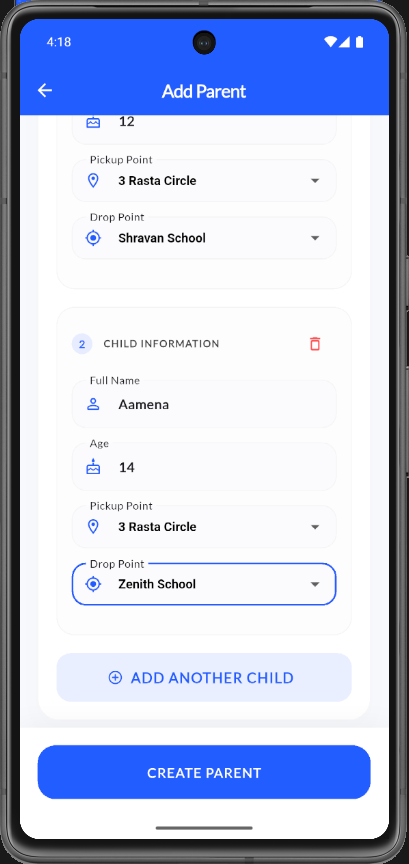
Add Parent screen showing second child Aamena age 14 with pickup at 3 Rasta Circle and drop at Zenith School, plus Add Another Child and Create Parent buttons.
Add Parent form with second child and add button
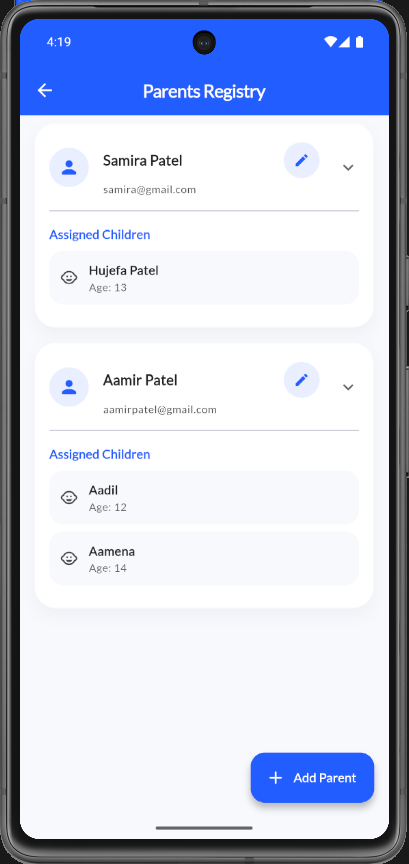
Parents Registry screen listing Samira Patel and Aamir Patel with assigned children, edit icons, and Add Parent floating action button.
Parents Registry list
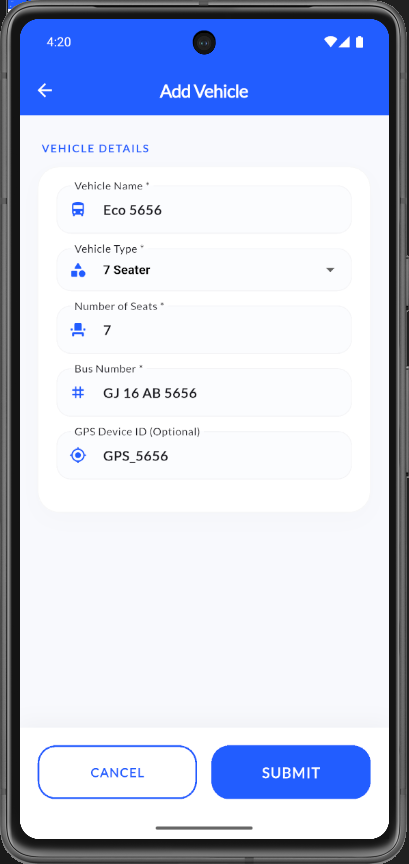
Add Vehicle screen with fields for vehicle name Eco 5656, type 7 Seater, 7 seats, bus number GJ 16 AB 5656, and GPS device ID GPS_5656.
Add Vehicle form
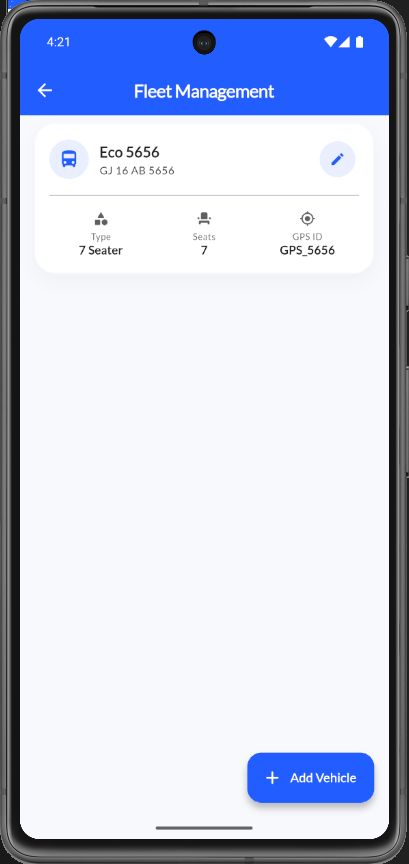
Fleet Management screen showing vehicle card for Eco 5656 with type, seat count, GPS ID details, and Add Vehicle button.
Fleet Management vehicle list
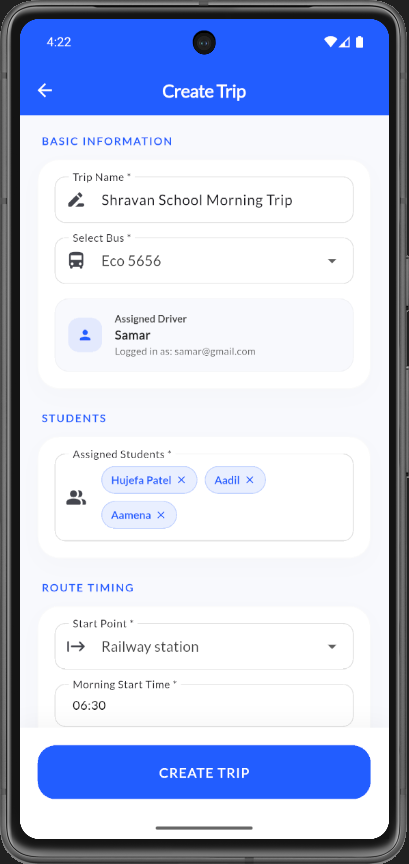
Create Trip screen with trip name Shravan School Morning Trip, bus Eco 5656, driver Samar, three assigned students, and morning start time 06:30.
Create Trip form with basic info and students
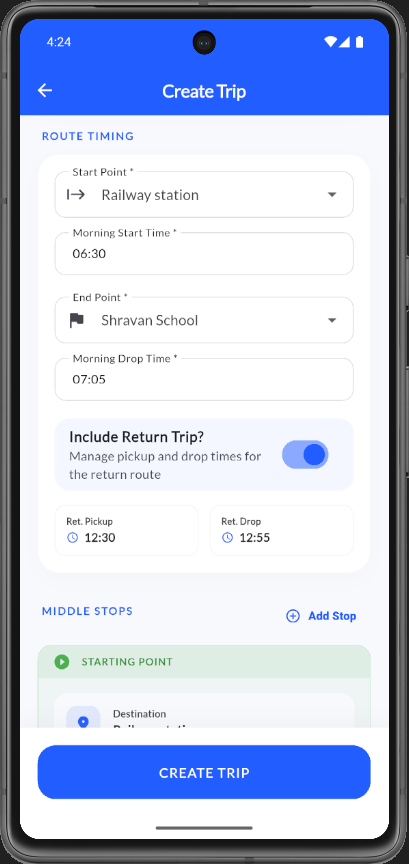
Create Trip route timing section with start Railway station, end Shravan School, return trip toggle enabled, return times, and middle stops list.
Create Trip form with route timing and stops
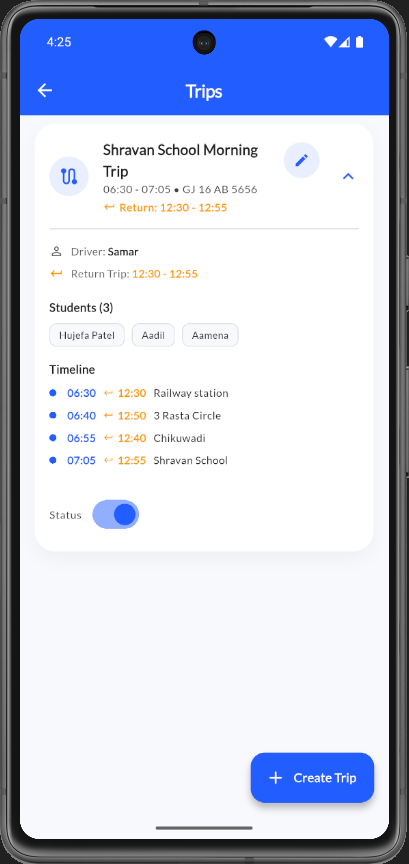
Trips screen showing expanded Shravan School Morning Trip with driver, students, stop timeline with morning and return times, and active status toggle.
Trips detail expanded view
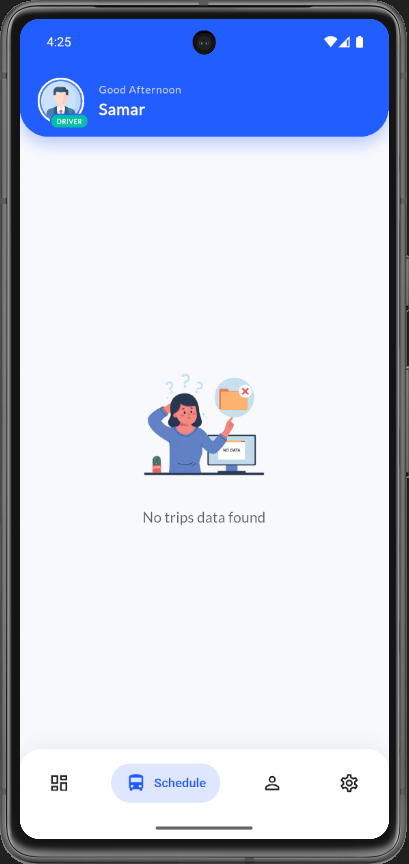
Driver Schedule screen for Samar showing no trips data found empty state illustration with bottom navigation on Schedule tab.
Driver schedule empty state
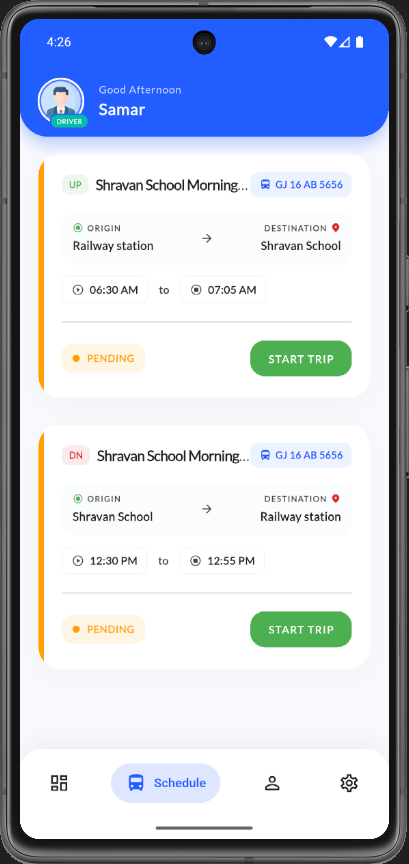
Driver Schedule showing two pending trips — morning UP route and afternoon DN return route — each with Start Trip buttons.
Driver schedule with pending trips
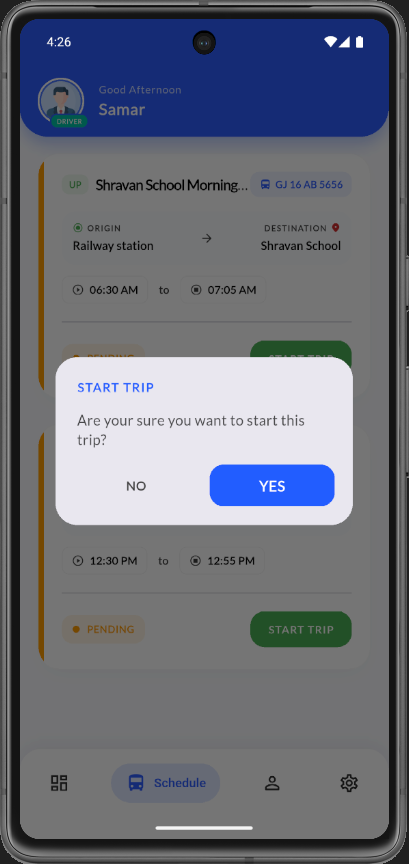
Start Trip confirmation modal overlay asking Are you sure you want to start this trip with No and Yes buttons over the schedule screen.
Driver schedule start trip confirmation modal
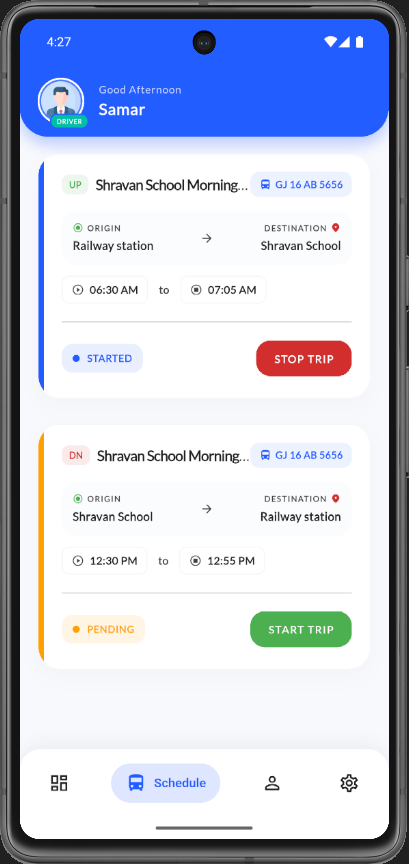
Driver Schedule showing an active UP trip with Started status and Stop Trip button, plus a pending DN return trip with Start Trip button.
Driver schedule with active trip
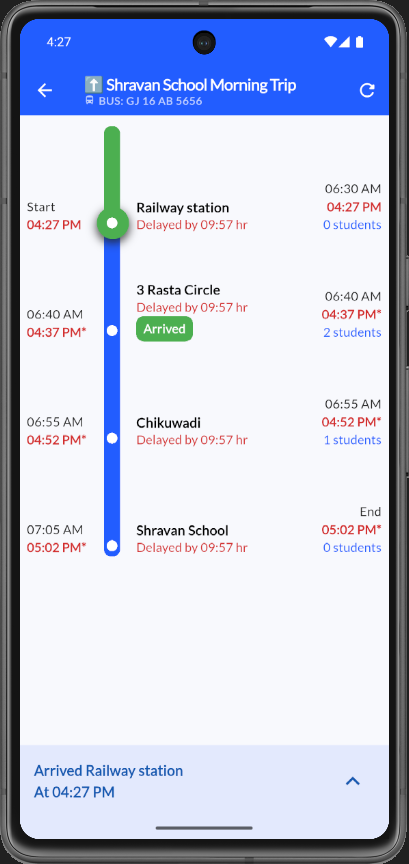
Live trip tracking screen for Shravan School Morning Trip showing vertical stop timeline with scheduled vs actual times and delay indicators.
Driver live trip progress timeline
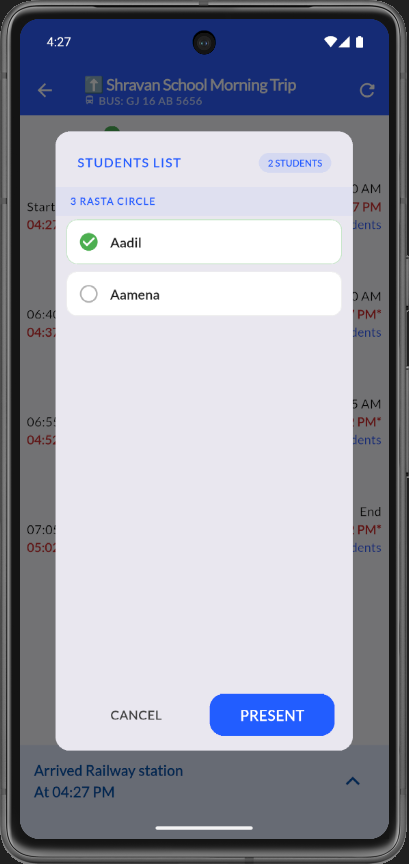
Students List modal at 3 Rasta Circle stop showing Aadil marked present and Aamena unmarked with Present and Cancel buttons.
Students list attendance modal at stop
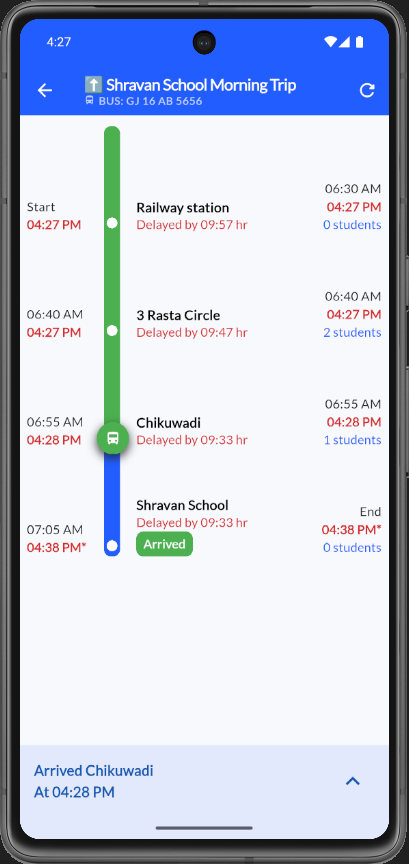
Live trip timeline with bus icon at Chikuwadi stop, showing arrival times, student counts per stop, and Arrived Chikuwadi status bar.
Driver trip progress at Chikuwadi stop
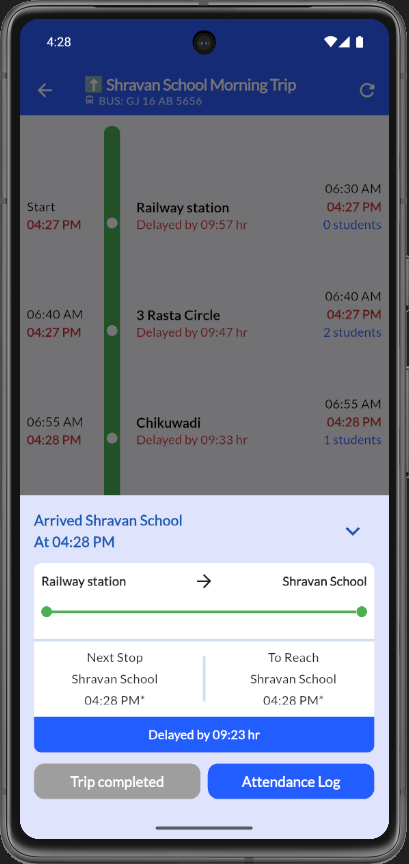
Trip progress screen at Shravan School showing completed route, delay summary, Trip completed and Attendance Log action buttons.
Trip completed at destination with summary
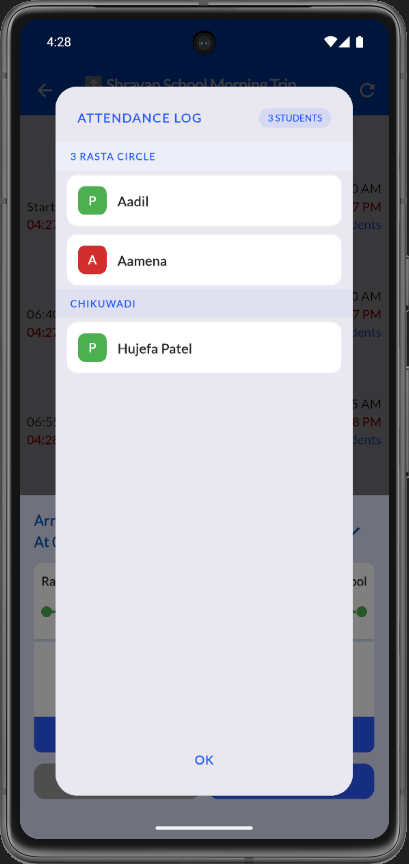
Attendance Log modal listing students by stop with present and absent status badges for Aadil, Aamena, and Hujefa Patel.
Attendance log modal
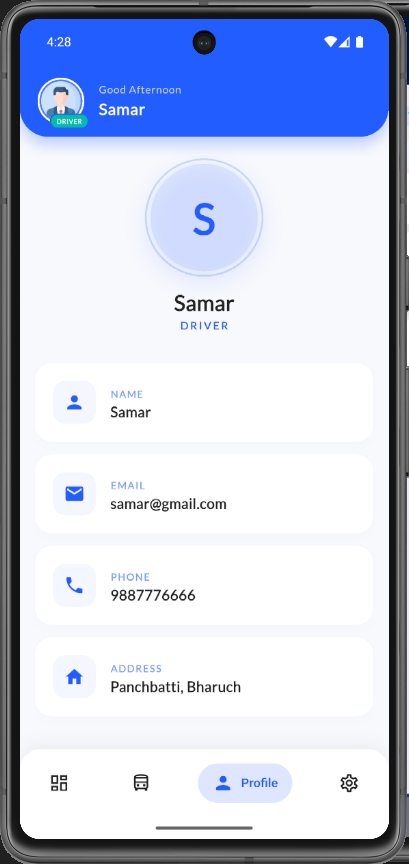
Driver profile screen for Samar showing name, email samar@gmail.com, phone, and address with Profile tab active in bottom navigation.
Driver profile screen
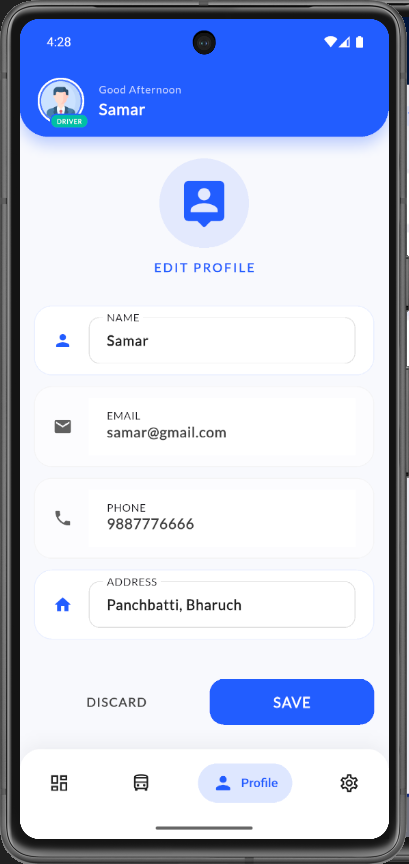
Edit Profile screen with editable fields for name, email, phone, and address with Discard and Save buttons.
Edit Profile form
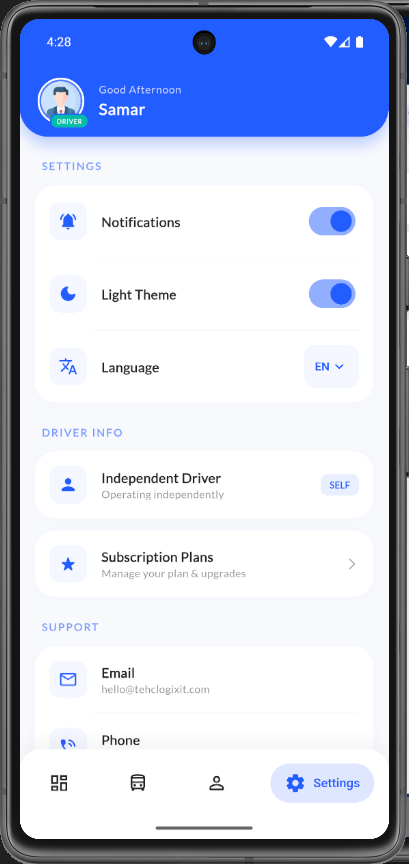
Driver Settings screen with notifications, light theme, and language toggles, plus Independent Driver and Subscription Plans sections.
Driver settings top section
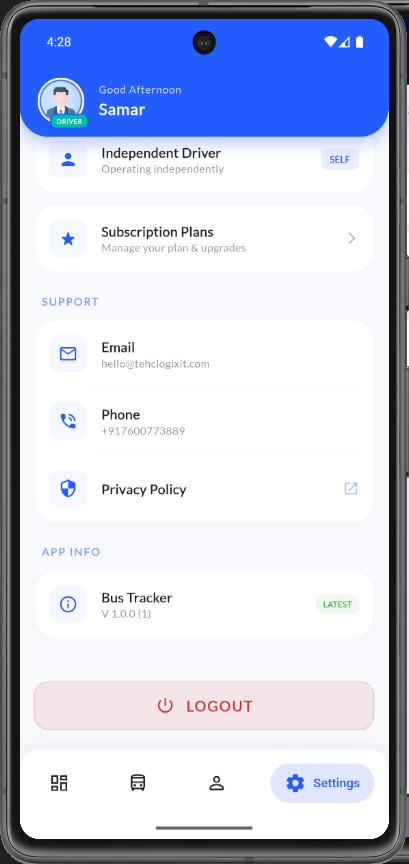
Driver Settings lower section showing subscription plans link, support email and phone, app version info, and Logout button.
Driver settings with support and logout
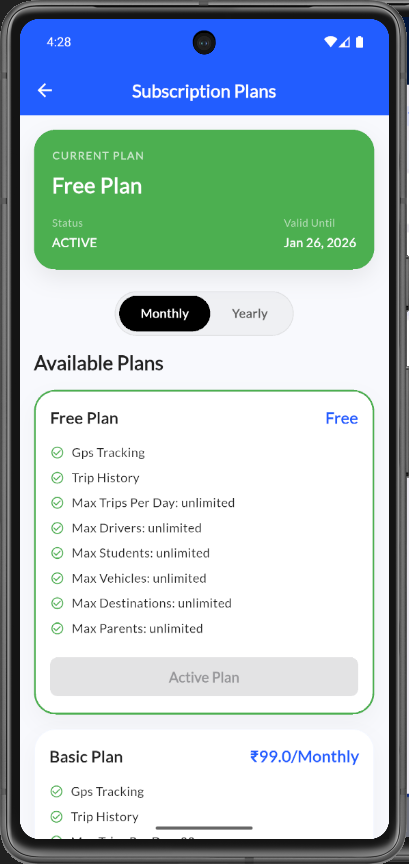
Subscription Plans screen showing active Free Plan valid until Jan 26 2026, monthly/yearly toggle, and Free and Basic plan feature cards.
Subscription Plans overview
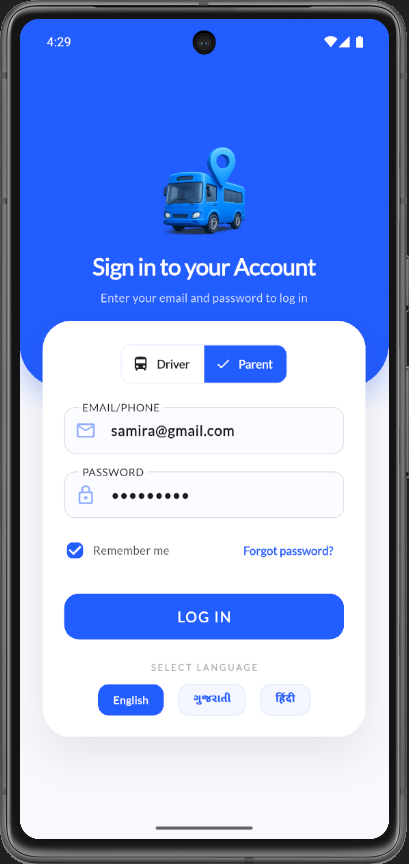
Login screen with Parent role selected, email samira@gmail.com entered, password filled, and language selection options.
Parent sign in with filled credentials
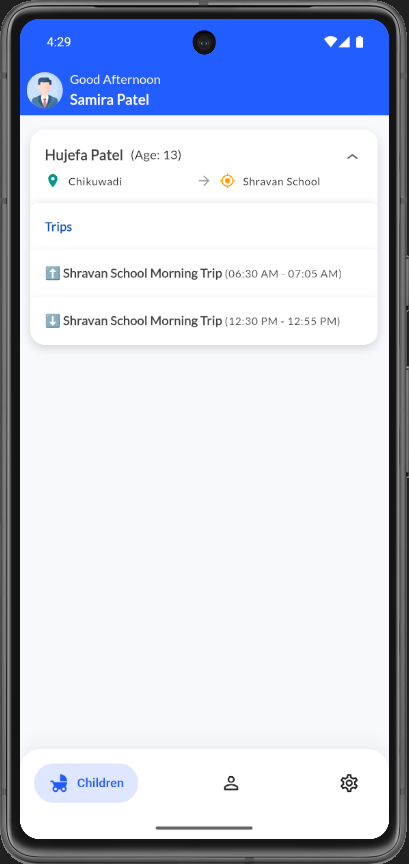
Parent dashboard for Samira Patel showing child Hujefa Patel with route from Chikuwadi to Shravan School and morning and return trip times.
Parent children dashboard with trips
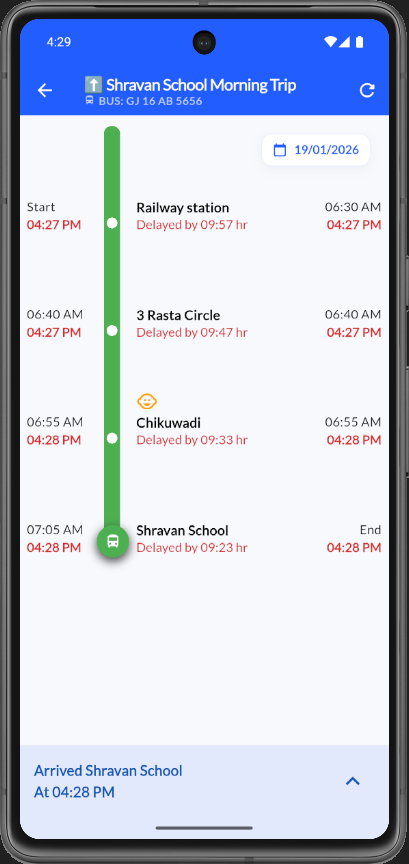
Parent trip tracking view for Shravan School Morning Trip showing stop timeline with scheduled and actual arrival times and delay status.
Parent live trip tracking timeline
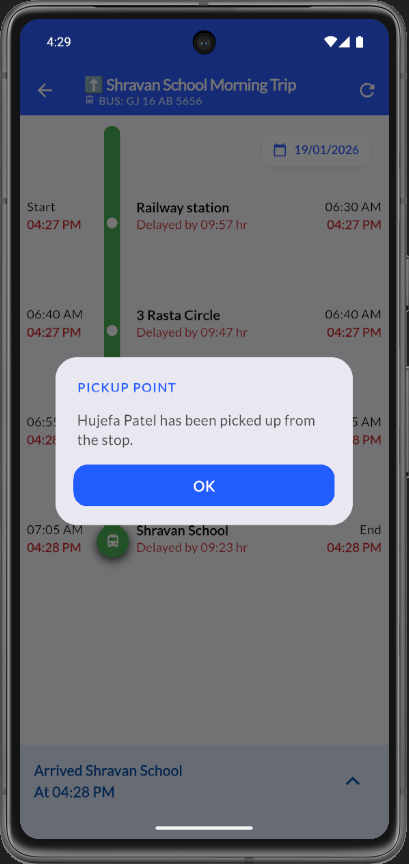
Pickup Point modal notifying that Hujefa Patel has been picked up from the stop, overlaid on the parent trip tracking screen.
Parent pickup notification modal
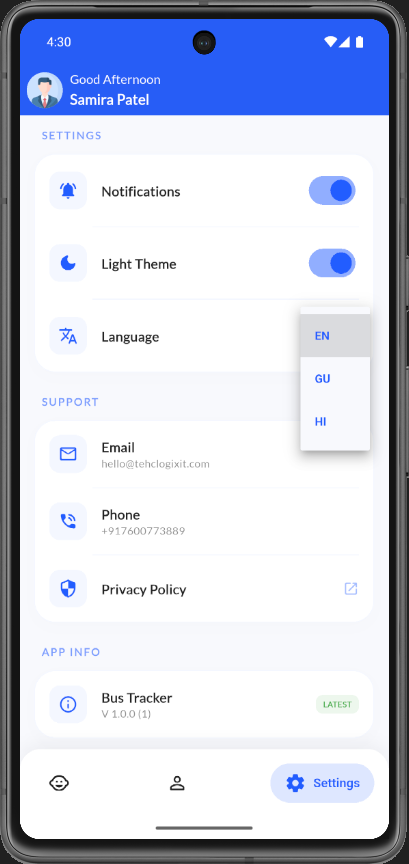
Parent Settings for Samira Patel with notification and theme toggles, language dropdown, support contacts, and app version info.
Parent settings screen
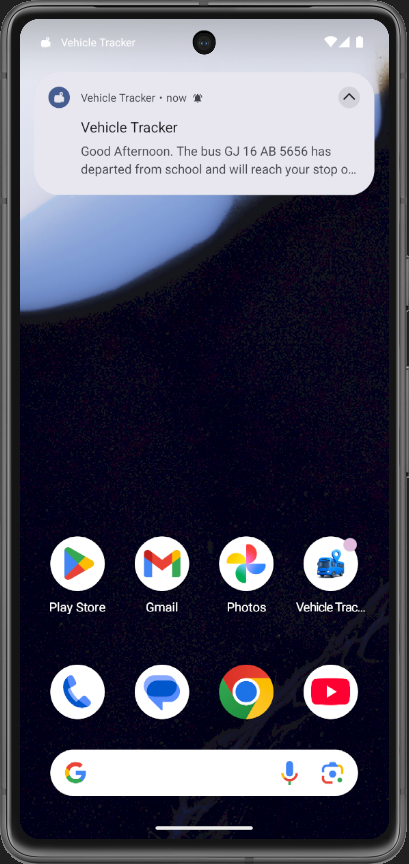
Android home screen push notification from Vehicle Tracker alerting that bus GJ 16 AB 5656 has departed from school.
Push notification bus departed from school
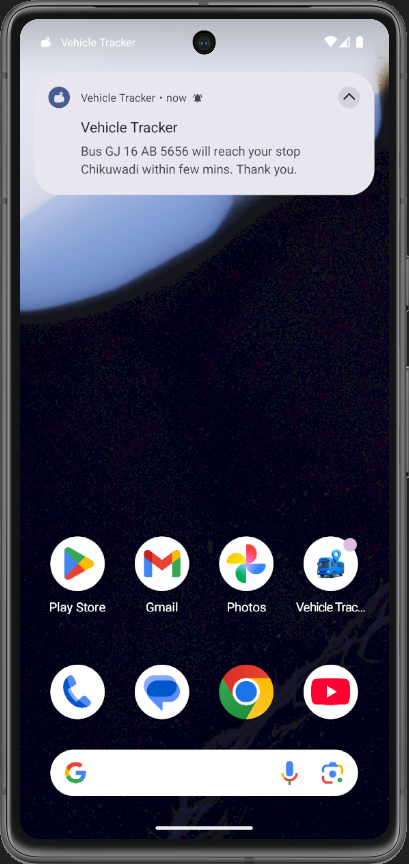
Android home screen push notification alerting that bus GJ 16 AB 5656 will reach stop Chikuwadi within a few minutes.
Push notification bus approaching stop
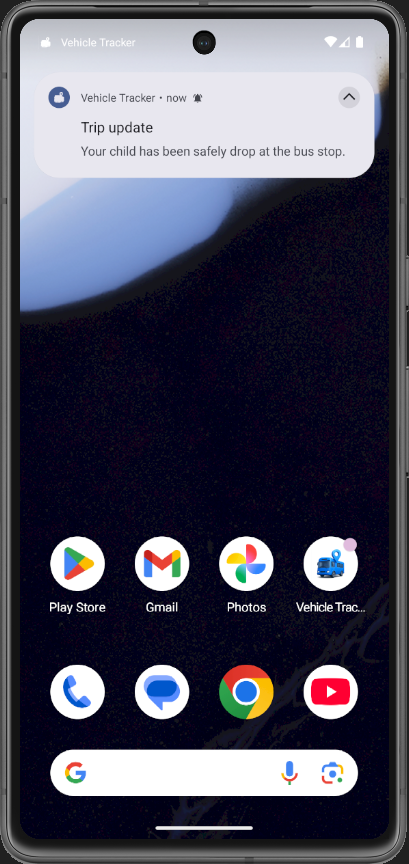
Android home screen trip update notification confirming your child has been safely dropped at the bus stop.
Push notification child dropped at stop
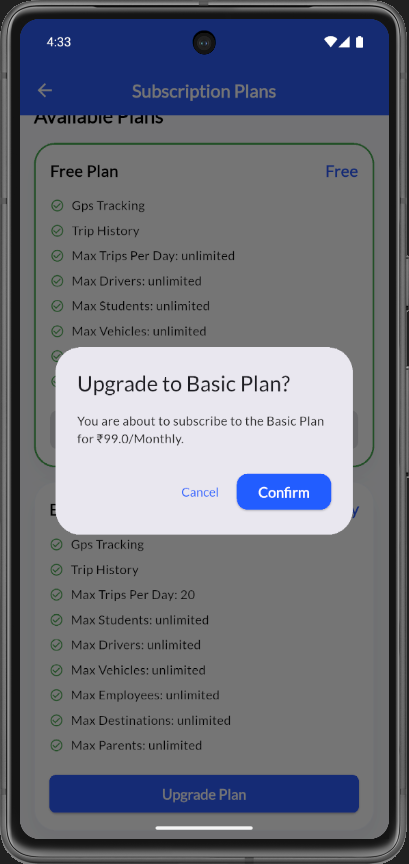
Upgrade to Basic Plan confirmation modal showing ₹99.0/Monthly subscription price with Cancel and Confirm buttons.
Subscription upgrade confirmation modal
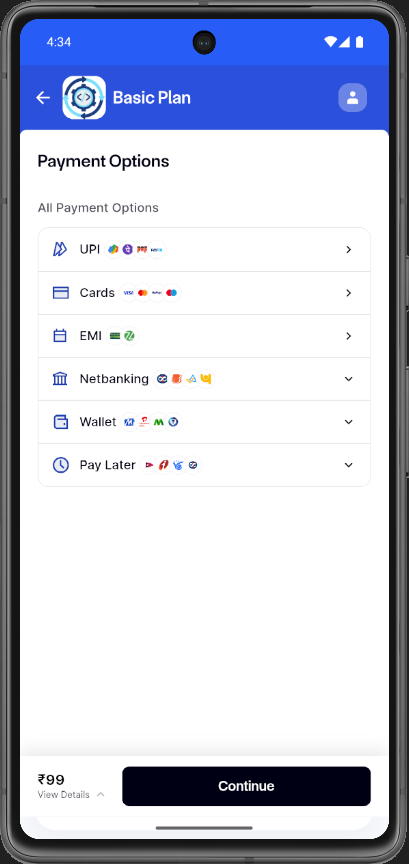
Payment Options screen for Basic Plan listing UPI, Cards, EMI, Netbanking, Wallet, and Pay Later methods with ₹99 price and Continue button.
Basic Plan payment options screen
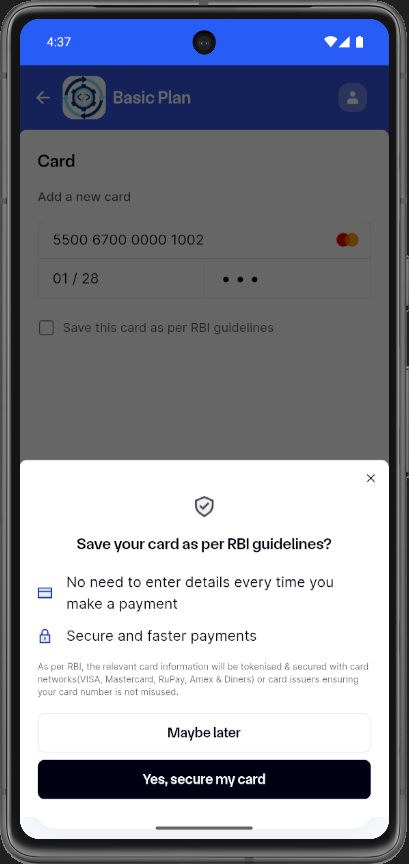
Card entry form with Mastercard details and modal asking to save card as per RBI guidelines with secure payment benefits.
Card payment with RBI save card modal
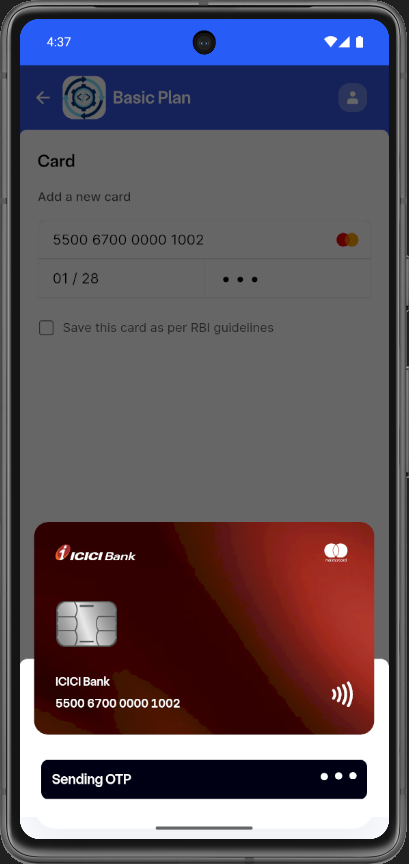
Card payment screen showing ICICI Bank Mastercard preview with Sending OTP loading indicator at the bottom.
Payment processing sending OTP
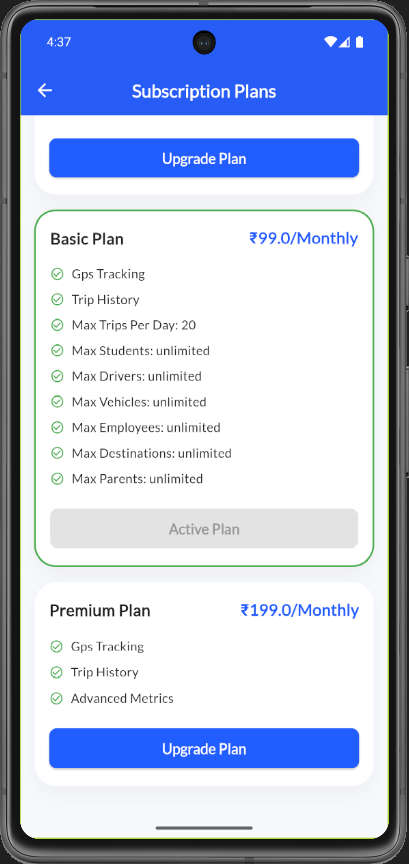
Subscription Plans screen showing Basic Plan as active at ₹99.0/Monthly with feature list and Premium Plan upgrade option at ₹199.0/Monthly.
Subscription Plans with Basic Plan active
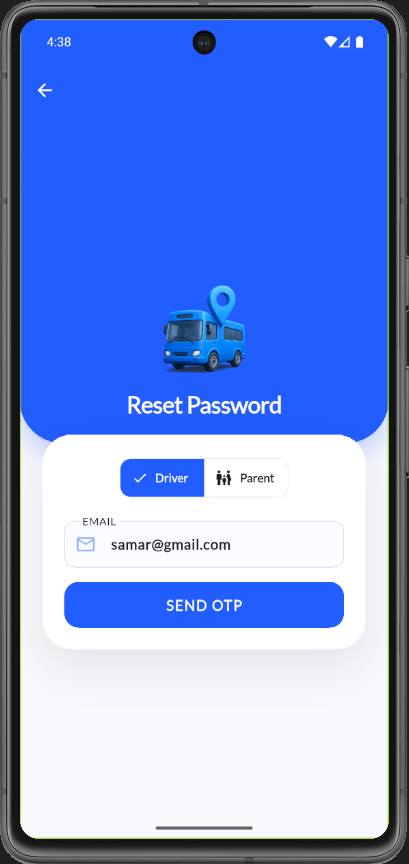
Reset Password screen with Driver role selected, email samar@gmail.com entered, and Send OTP button.
Reset Password send OTP screen
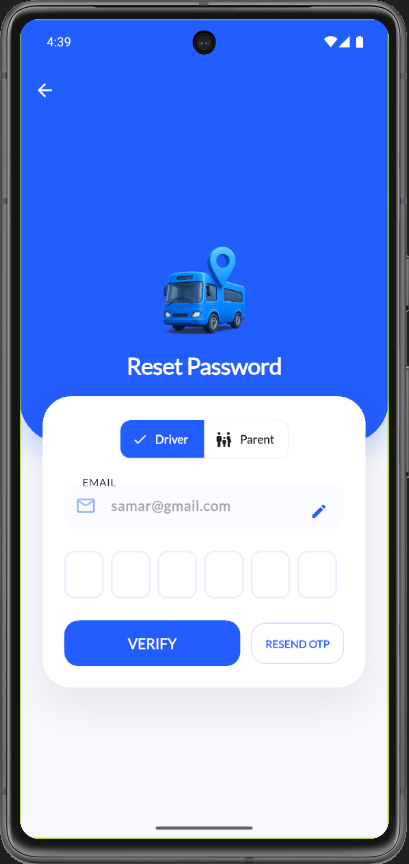
Reset Password OTP entry screen with six-digit code input fields, Verify button, and Resend OTP option for Driver role.
Reset Password OTP verification screen
Technology Stack
Core Technologies & Libraries
- Flutter
- Dart
- Bloc
- GoRouter
- Dio
Measurable Results & Achievements
- Live in production with real-time GPS tracking across driver, parent, and admin roles
- Push notification system delivering arrival and departure alerts reliably
- Optimized location tracking to minimize battery drain during active use
- Geofencing for automated stop detection and attendance marking
- Offline-first architecture ensuring attendance data is never lost